
Engine health
Misfire counters, cylinder roughness and fuel-mixture data, rolled into one verdict you can understand.
How to check a BMW petrol engine’s health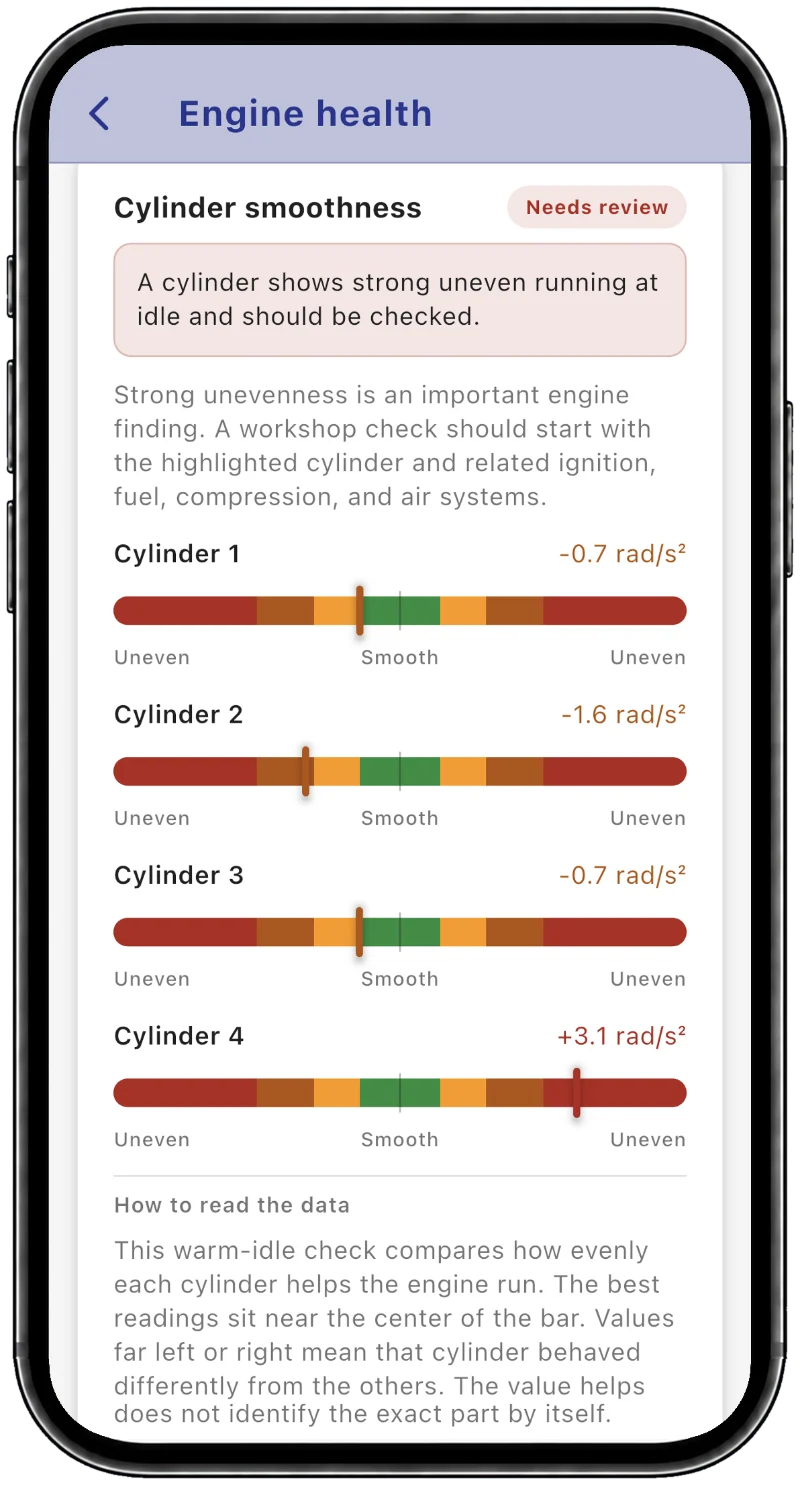
Diese Website gibt es auch auf Deutsch. Zur deutschen Version
Этот сайт есть и на русском языке. Открыть русскую версию
For BMW & MINI
Inspect the BMW or MINI you drive, or the one you’re about to buy. Your phone reads what the car’s own computers know about its engine, gearbox, battery and mileage.
For iPhone and iPad. Android coming later.
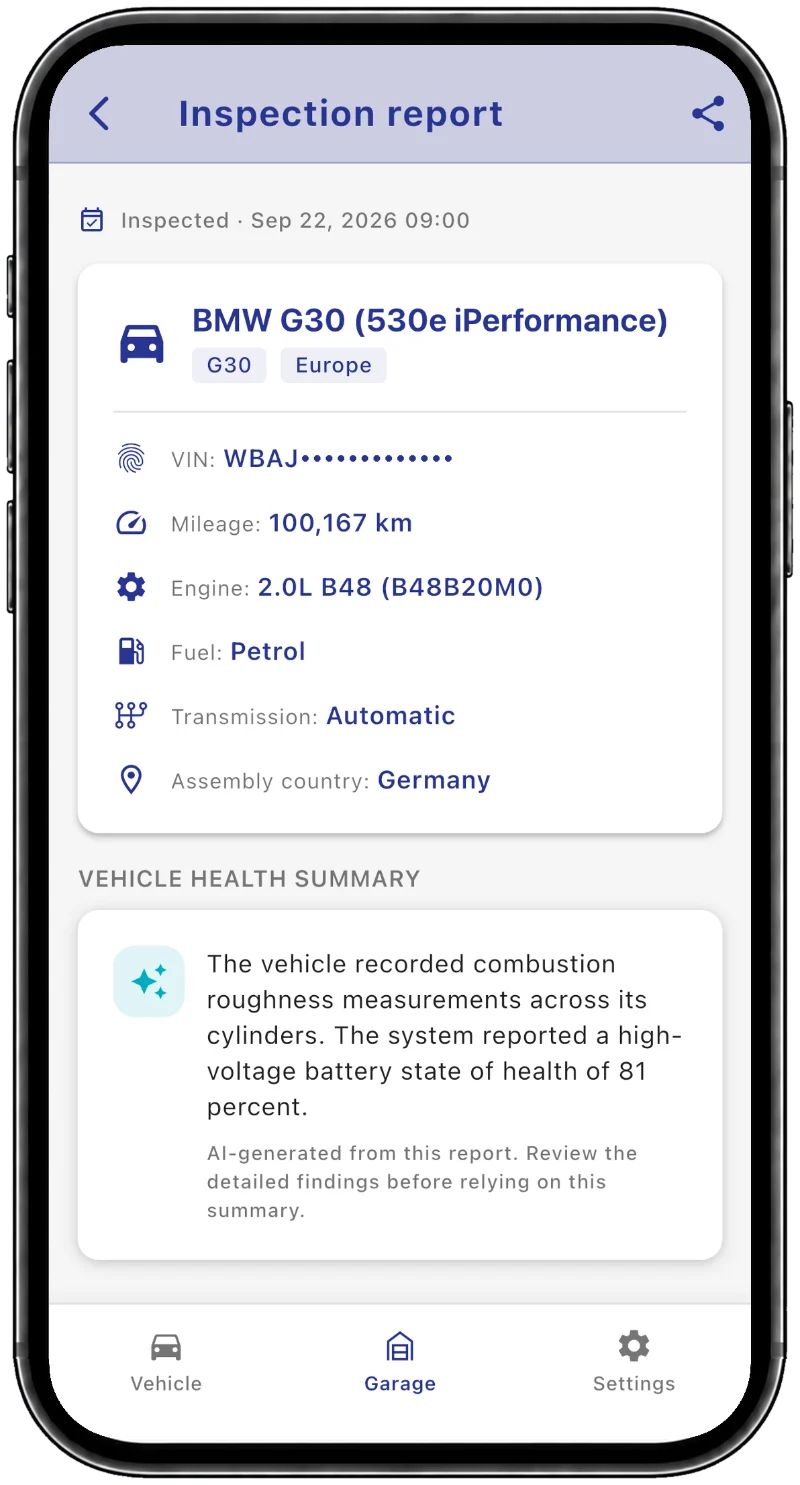
All you need is your phone and an OBD adapter.
A compatible Bluetooth, Wi-Fi or ENET adapter goes into the port under the dashboard.
Start the engine, open BimmerInspect and follow the guided check.
For free, you see how much data your car provided. The results and the PDF are in the full report, a one-time purchase.
Some engine checks need a warm, idling engine. If a condition isn’t met, you get a partial result instead of a guess. Which adapter?
What’s in the report
Real screens from the app.
Misfire counters, cylinder roughness and fuel-mixture data, rolled into one verdict you can understand.
How to check a BMW petrol engine’s healthAdaptation values and clutch fill times show the early signs of a tired transmission.
How to check a BMW automatic gearbox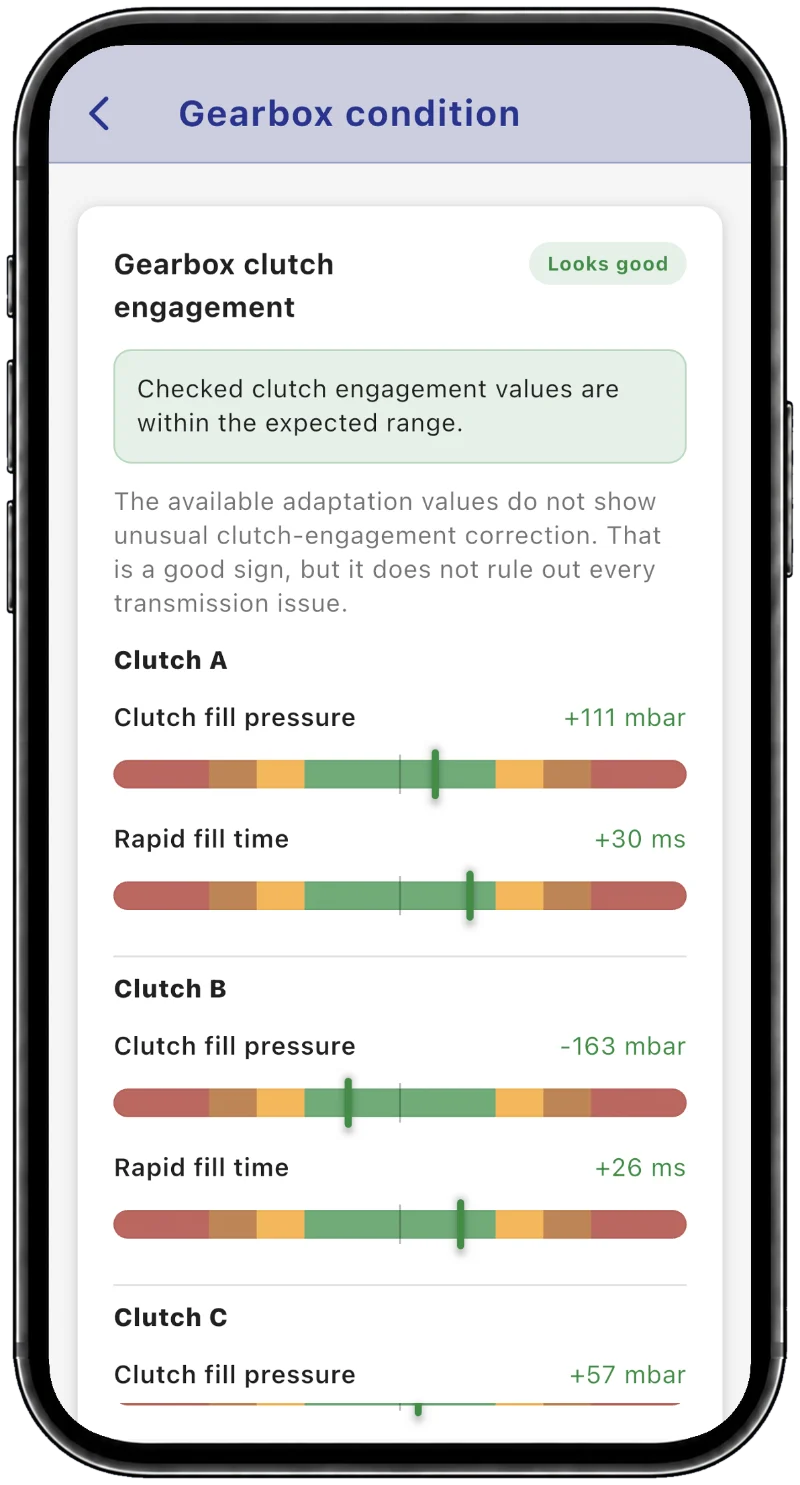
State of health, capacity and cell balance on supported plug-in hybrids and electric cars.
How to check a BMW plug-in hybrid’s battery health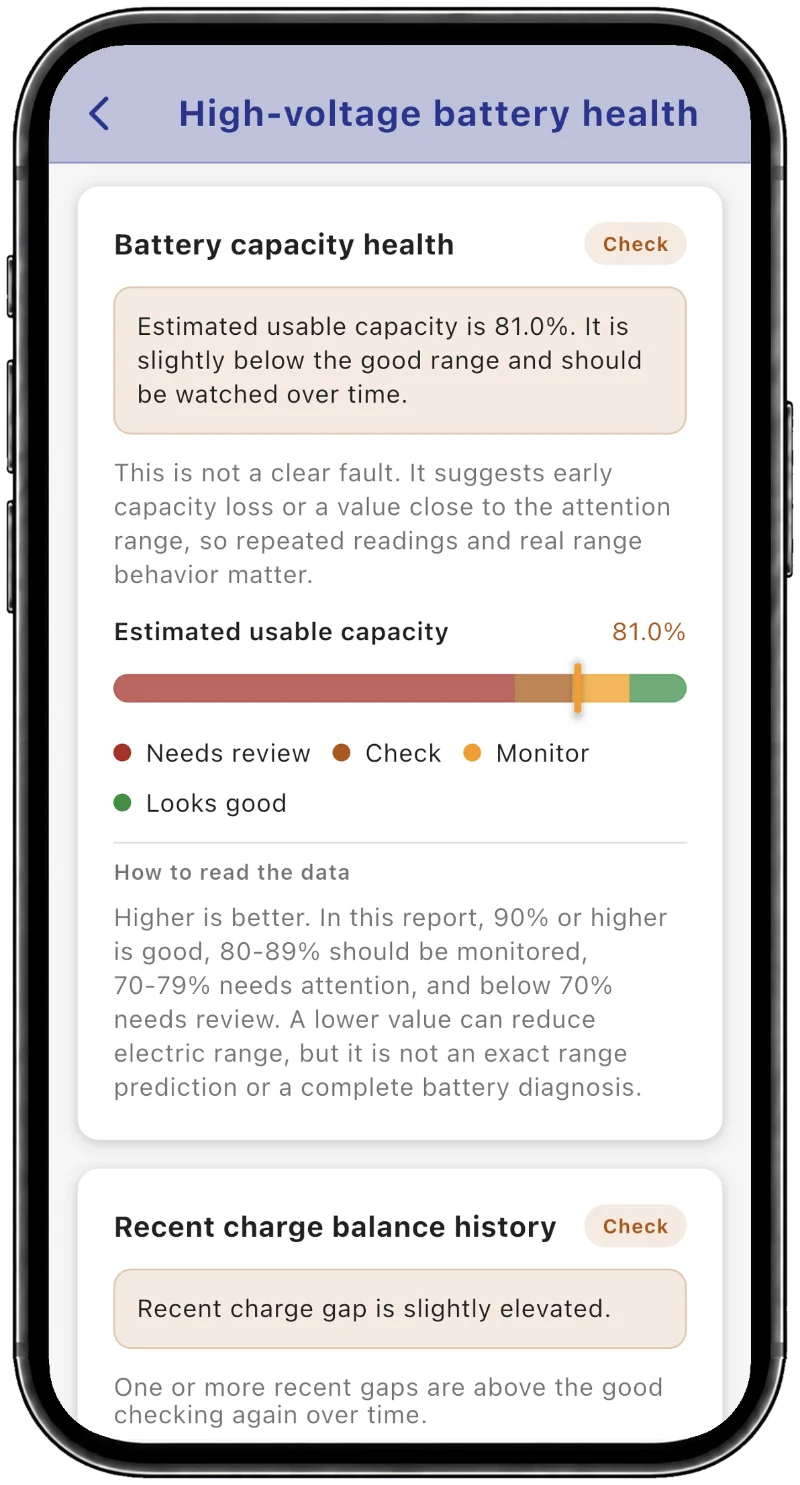
The dashboard reading is cross-checked against mileage stored in several control units.
How to check if a BMW’s mileage is real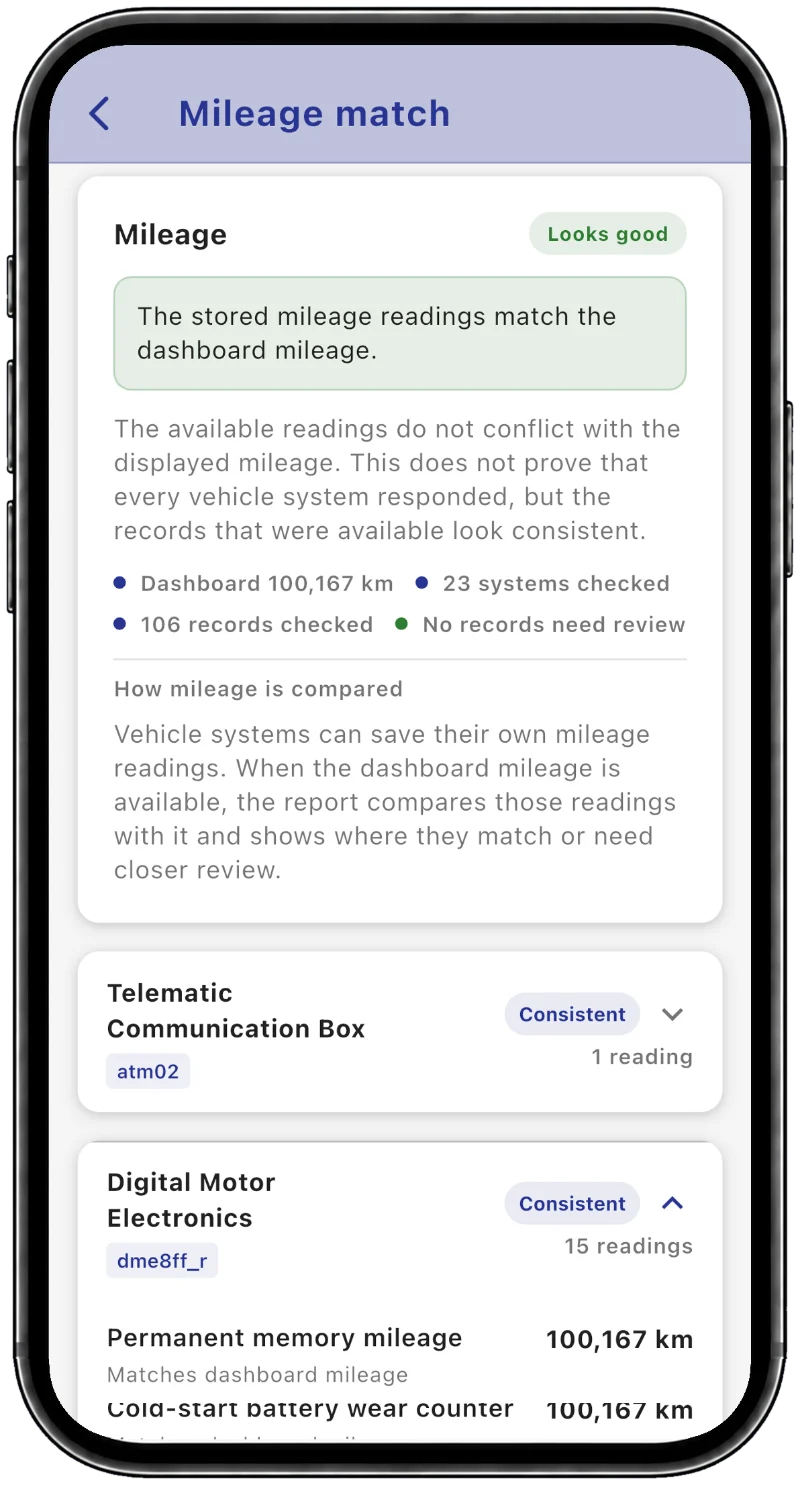
How the car was driven: cold starts, hard use and time spent at temperature.
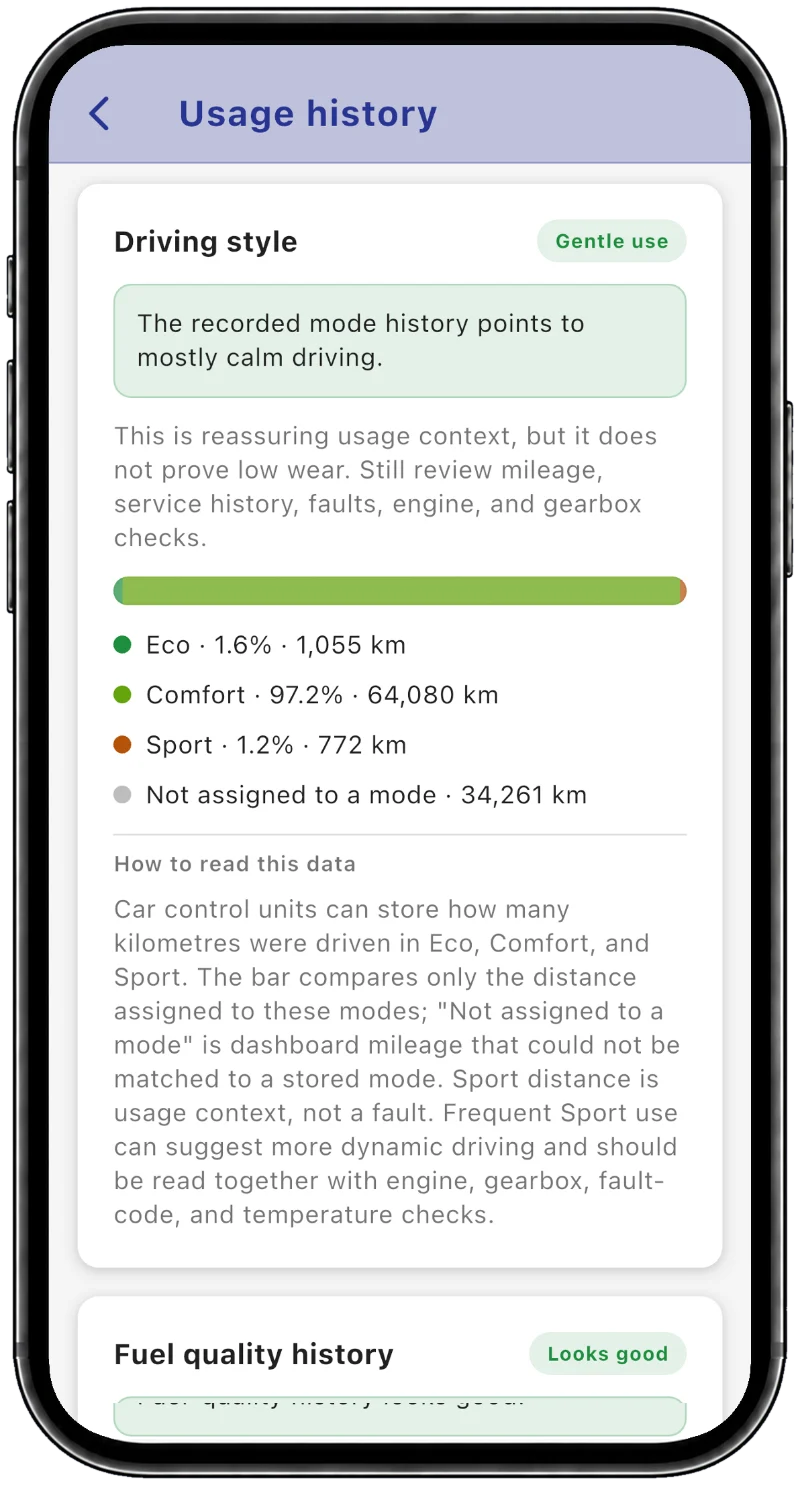
Every report also covers vehicle identity and fault history.
Open the full sample report (PDF)Coverage depends on model, powertrain and equipment. BimmerInspect complements a physical inspection; it doesn’t replace one.
Used BMW inspection checklistFor iPhone and iPad. Android coming later.
Still have a question?
[email protected]
BimmerInspect is made for BMW and MINI models of the F and G generations, built from about 2011 onward, including plug-in hybrids. Older E-generation models are not supported. How much it can read depends on the model, engine and equipment, and the free inspection shows exactly what your car makes available before you pay anything.
A quality ELM327-compatible Bluetooth or Wi-Fi OBD-II adapter, or an ENET cable with a suitable Ethernet adapter for your phone. Cheap copies may not support every command the inspection needs.
BimmerInspect works on iPhone and iPad. An Android version will follow later.
Yes. Installing the app and running the inspection are free. The inspection shows how much data your car provided; to see the results, you unlock the full report with a one-time purchase.
Yes. Run an inspection whenever you like, for example before a service or a long trip. Reports are kept in the app’s Garage so you can look back at earlier results.
No. It compares the mileage stored in several control units. A mismatch is worth investigating, but it can also come from repairs or replaced parts.
No. BimmerInspect works without an account, and reports are stored on your phone. See the privacy policy for details.